


How to Reduce Screen Time and Relieve Digital Eye Strain
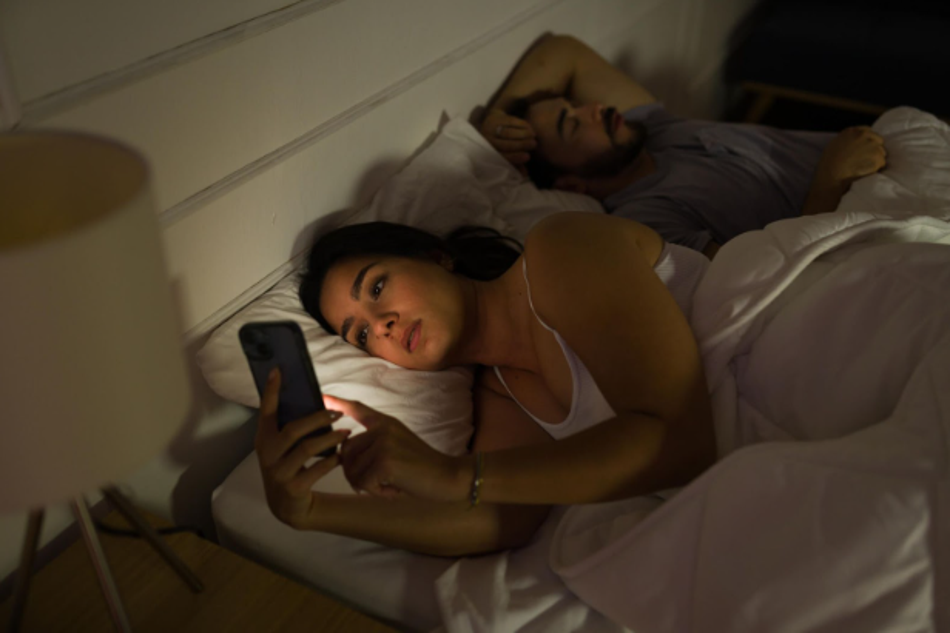
Screens shape work, school, and downtime. Phones wake people up, laptops power meetings, and tablets stream shows late into the evening. With usage climbing across all age groups, conversations about how to reduce screen time have shifted from productivity to health.
Eye discomfort now ranks among the most common complaints tied to digital device use. Symptoms range from dryness and blurred vision to headaches and neck tension. Understanding what is happening inside the eyes and what steps may provide eye strain relief helps protect long-term vision comfort.
The Link Between Screen Time and Eye Strain
Extended screen exposure often leads to eye strain, a condition resulting from prolonged use of computers, tablets, and smartphones. Unlike reading a book, screen use reduces the blink rate. Fewer blinks mean less moisture across the surface of the eye, which contributes to irritation.
A 2024 study published in Computers in Human Behavior Reports (via ScienceDirect) found that visuo-ocular symptoms worsen significantly as task duration increases. The research highlighted that more cognitively demanding tasks cause symptoms to escalate even faster, directly impacting productivity. This confirms that eye fatigue relief is necessary not just for comfort, but for functioning throughout the day.
While this discomfort does not typically cause permanent vision damage, repeated stress without recovery can create ongoing issues. These patterns often disrupt work, study, and sleep. Addressing these symptoms early is a proactive way to maintain ocular health.
How Much Screen Time Is Too Much?
The question of how much screen time is too much depends on age, work demands, and overall health. Risk rises when screen use occurs without breaks or in poor lighting conditions. Monitoring physical symptoms provides a clearer signal than counting hours alone.
The American Academy of Child & Adolescent Psychiatry recommends consistent limits and structured media habits for children and adolescents, specifically suggesting that children ages 2 to 5 limit non-educational screen time to about one hour per weekday. For all ages, it is important to balance digital use with sleep and physical activity.
Warning signs of excessive screen use include:
- Frequent headaches
- Blurred or double vision
- Dry or burning eyes
- Difficulty focusing after device use
Identifying these triggers helps shape practical solutions. Once the signs are clear, implementing a strategy for relief becomes much easier. Recognizing these personal limits is the first step toward a more comfortable daily routine. This awareness makes it simpler to understand the specific ways technology impacts vision and why certain symptoms appear after a long day at the office.
Computer Vision Syndrome and Digital Eye Strain Explained

Computer Vision Syndrome is the clinical term used to describe Digital Eye Strain. Both refer to visual discomfort tied to screen exposure. Digital screens demand constant refocusing as pixels shift and images refresh, which fatigues the eye muscles.
Several factors contribute to this condition, including poor reading light, glare on screens, and improper viewing distances. When the eyes are forced to maintain an extended focus at close range, the visual system becomes overworked.
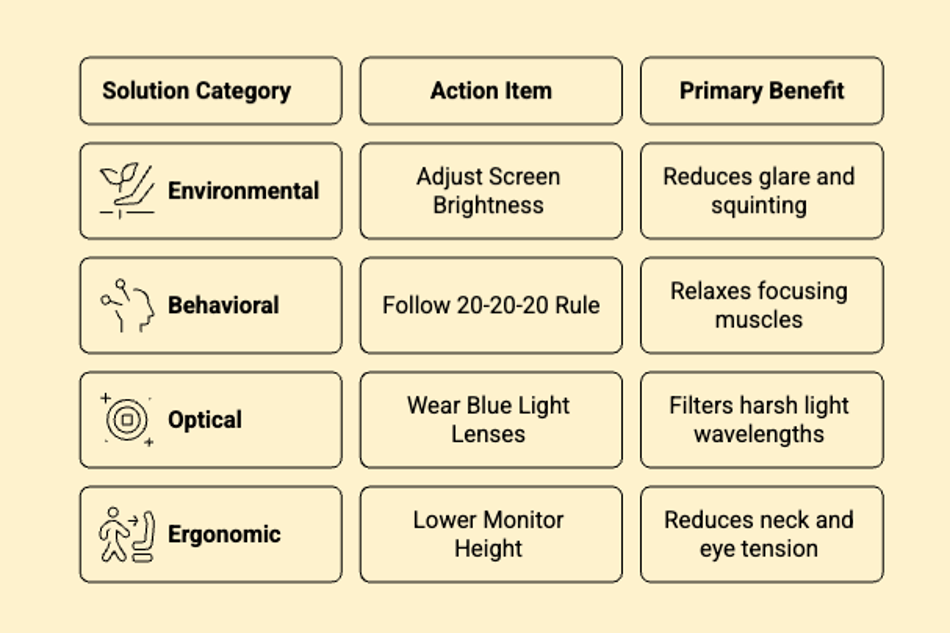
Understanding these factors allows for targeted adjustments. By correcting the environment, the frequency of symptoms often decreases significantly. Managing the workspace layout helps protect the eyes from physical triggers before they lead to more painful side effects. This proactive approach is especially helpful when dealing with the recurring head pain often linked to long hours at a desk.
Can Too Much Screentime Cause Headaches?
Headaches frequently accompany visual fatigue. Reduced blinking and sustained focus can dry the eyes and tighten surrounding muscles. This tension often spreads to the neck and shoulders, contributing to discomfort.
Research indicates a strong association between prolonged screen use and increased reports of tension-type headaches. Addressing visual habits and screen ergonomics often reduces the frequency of these episodes. By taking regular breaks and improving posture, many find that their headache symptoms subside. Consistency in these habits is the most effective way to manage dry eye irritation and discomfort.
Developing a routine that prioritizes these small pauses helps break the cycle of tension that leads to head and neck pain. These lifestyle shifts provide a strong foundation for exploring more specific tools designed to ease the daily burden on the eyes
5 Eye Strain Relief Strategies
Finding eye strain relief begins with simple behavioral adjustments and environmental changes. Implementing a few intentional habits throughout the day helps manage the physical toll of digital use. These strategies work best when applied consistently, making long hours at a desk much more manageable.
1. Follow the 20 20 20 Rule
The 20 20 20 rule encourages a 20-second break every 20 minutes to look at something 20 feet away. This short reset relaxes the focusing muscles inside the eye and encourages natural blinking, which keeps the surface of the eye moist and comfortable.
2. Optimize the Screen Position
Adjusting the physical setup of a workspace helps minimize physical stress. Screens should sit about an arm’s length away from the face. Positioning the monitor so the top of the screen is at or slightly below eye level prevents neck strain and reduces the surface area of the eye exposed to air.
3. Use Blue Light Lenses
Wearing specialized blue light lenses can support comfort during extended sessions. These lenses filter a portion of the high-energy visible light emitted from digital displays, which many users find helps reduce the "harshness" of the screen and improves visual clarity.
4. Balance Room Lighting
High-contrast environments, where a bright screen is the only light source in a dark room, often lead to faster fatigue. Balancing the light in the workspace and using matte screen filters to cut down on glare from windows or overhead lamps makes a significant difference in daily comfort levels.
5. Practice Intentional Blinking
People tend to blink significantly less when focusing on a digital display, leading to dry and scratchy eyes. Making a conscious effort to blink fully and frequently helps restore the tear film. Keeping lubricating eye drops nearby can also provide quick support during high-demand tasks.
Small changes in how devices are used lead to a more comfortable viewing experience. Adopting these habits creates a balanced approach to technology use that protects long-term vision.
Practical Ways to Reduce Screen Time

For those seeking guidance on how to reduce screen time, small changes produce measurable results. Shifting daily habits helps lower the constant demand placed on the visual system. By making intentional choices about when and where to use devices, it becomes easier to maintain comfort throughout the day.
Establish Tech-Free Zones
Setting device-free blocks during meals and social gatherings creates natural recovery periods for the eyes. Designating specific areas of the home, such as the dining room or the bedroom, as screen-free spaces encourages the eyes to focus on more distant objects and physical surroundings.
Swap Digital for Print
Replacing late-night doomscrolling with print reading helps the eyes rest. Physical books do not emit the same high-energy light as tablets or phones, making them a much gentler option for the eyes before sleep. This simple switch can significantly reduce the cumulative strain felt at the end of the day.
Opt for Audio-Only Meetings
Moving meetings to walking calls or using a headset for audio-only sessions is another effective method. Taking the eyes off the screen while still staying productive allows the ocular muscles to relax. This shift supports eye fatigue relief and provides a much-needed break from the glare of a monitor.
Use App Timers and Limits
Modern smartphones include settings that allow for downloadable apps that track daily usage and allow for time limits on specific apps. Using these tools provides a reality check on how much time is spent staring at a glass pane.
Keep Devices Out of the Bedroom
Keeping phones outside the bedroom overnight prevents the temptation of early morning or late-night browsing. This habit allows for the first and last moments of the day to involve natural light rather than digital displays. These boundaries allow the eyes to fully recover during sleep without the interruption of blue light.
Tracking daily usage can help identify which habits need the most adjustment. Identifying patterns of overexposure allows for a more balanced lifestyle. Prioritizing these breaks ensures that the eyes remain rested and ready for the next task.
Developing these healthy habits serves as a long-term defense against the physical discomfort caused by our digital world. Combining these behavioral shifts with the right optical tools ensures that vision remains clear and comfortable for all daily activities.
Maintaining Long-Term Protection for Healthy Vision
Screens remain a fixture of modern life across all generations. Instead of avoiding them entirely, balanced habits reduce discomfort. Routine eye exams help detect underlying needs that may intensify the symptoms of Digital Eye Strain.
For heavy device users, specialized contact lenses designed for moisture retention or glasses with anti-reflective coatings may improve daily comfort. Blue light lenses provide an additional layer of support for those with prolonged exposure.
Maintaining healthy vision is a continuous process. By staying mindful of screen habits and using the right optical tools, it is possible to navigate a digital world without constant discomfort.
Browse PerfectLensesWorld’s selection of contact lenses, sunglasses, and eye care accessories to find options designed for screen-heavy lifestyles.

